Loading
Get started in one day
Simple, straightforward steps to better client communication.
1
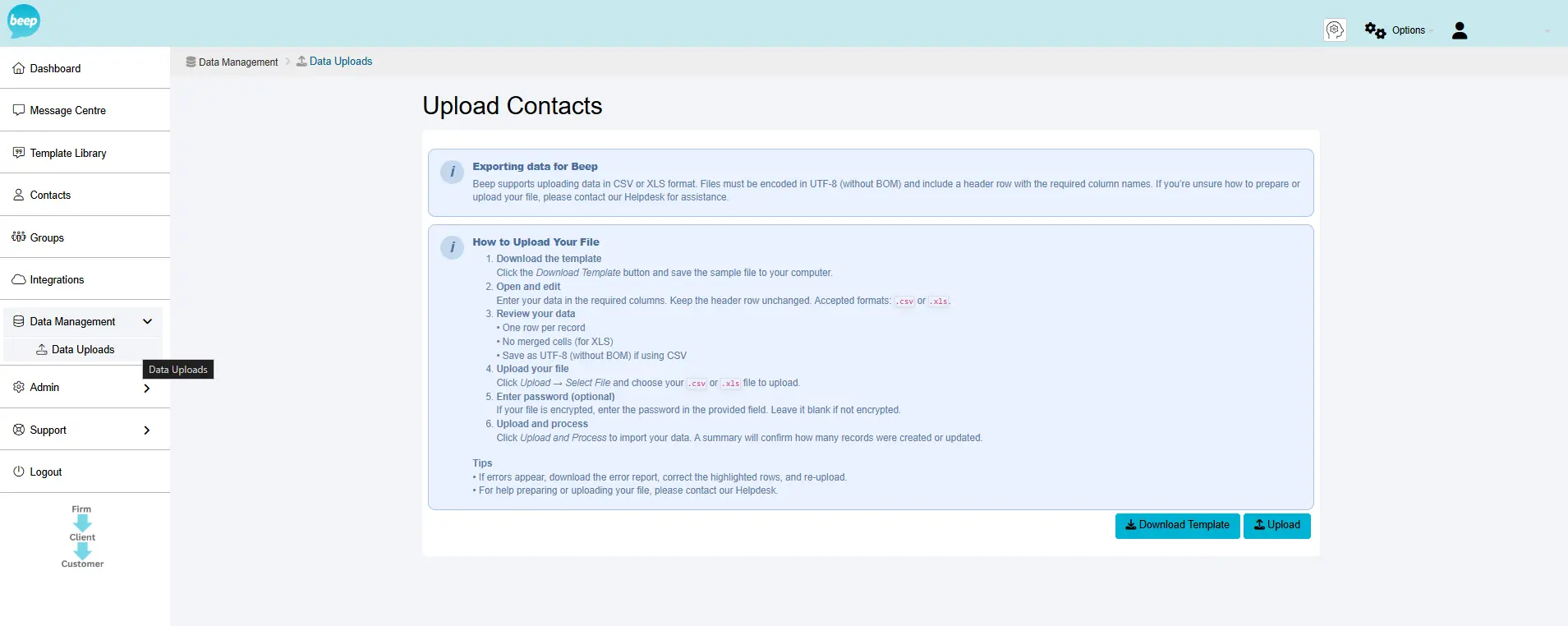
Add Your Contacts
Import contacts from your CRM, accounting software, or upload a CSV. Beep syncs your contact list and key data automatically.
- Connect your CRM, accounting platform, or upload CSV
- Secure OAuth or API connection in just a few clicks
- Your contacts sync automatically. No manual data entry
2
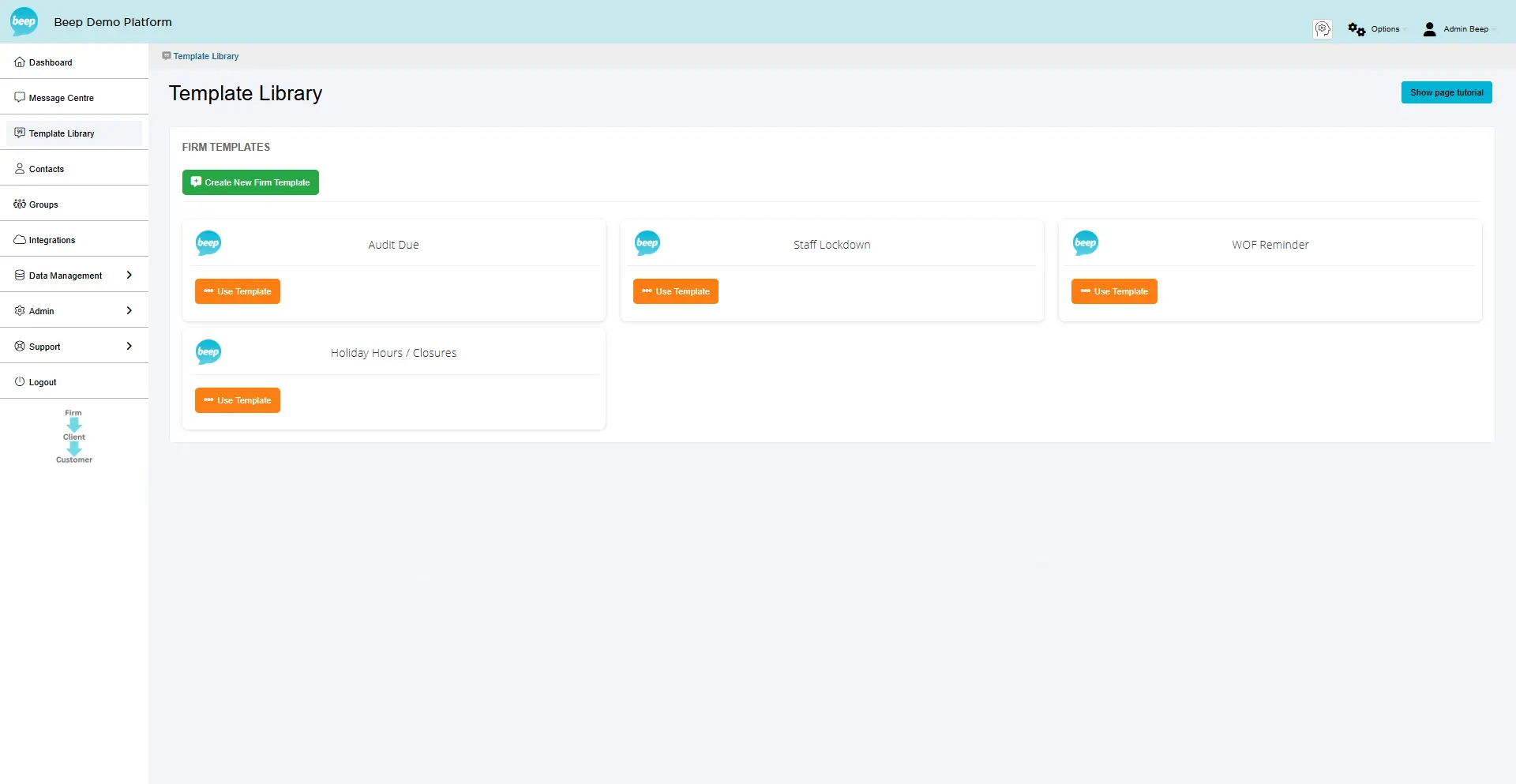
Choose Your Templates
Start with ready-made templates or build your own. Customise messages to match your firm's voice and branding.
- Browse template library
- Customise with your branding and preferred wording
- Use tokens to personalise each message
Example Template:
"Hi [Client Name], your payment is due on [Date]. Please confirm receipt and complete payment at your earliest convenience. Reply DONE when ready. - [Your Organisation]"
3
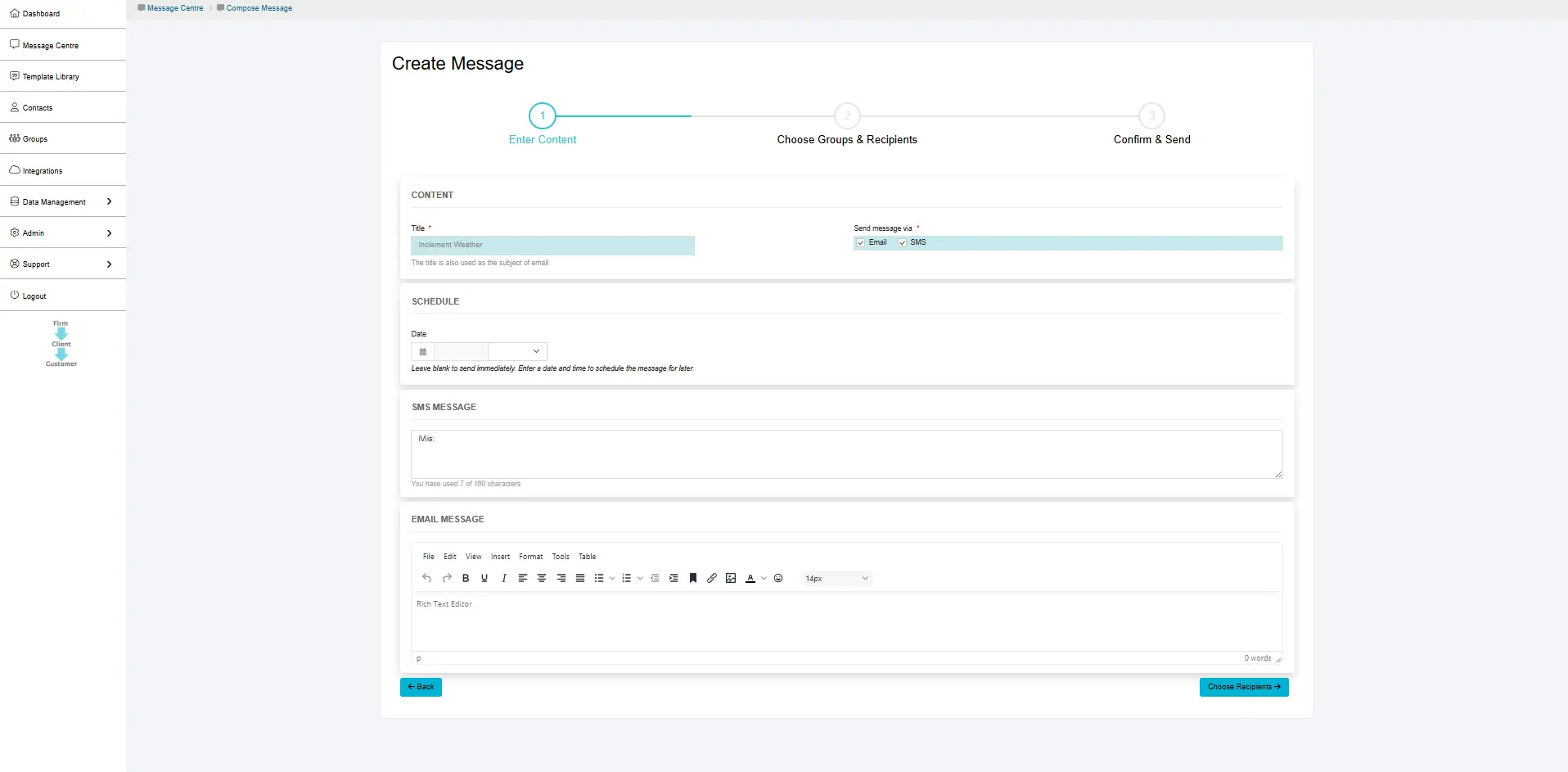
Set Up Automation
Configure when and how messages are sent. Set it once, and Beep handles everything automatically.
- Choose trigger events (e.g., 7 days before GST due date)
- Select delivery channels (SMS, email)
- Activate automation. Beep does the rest
4
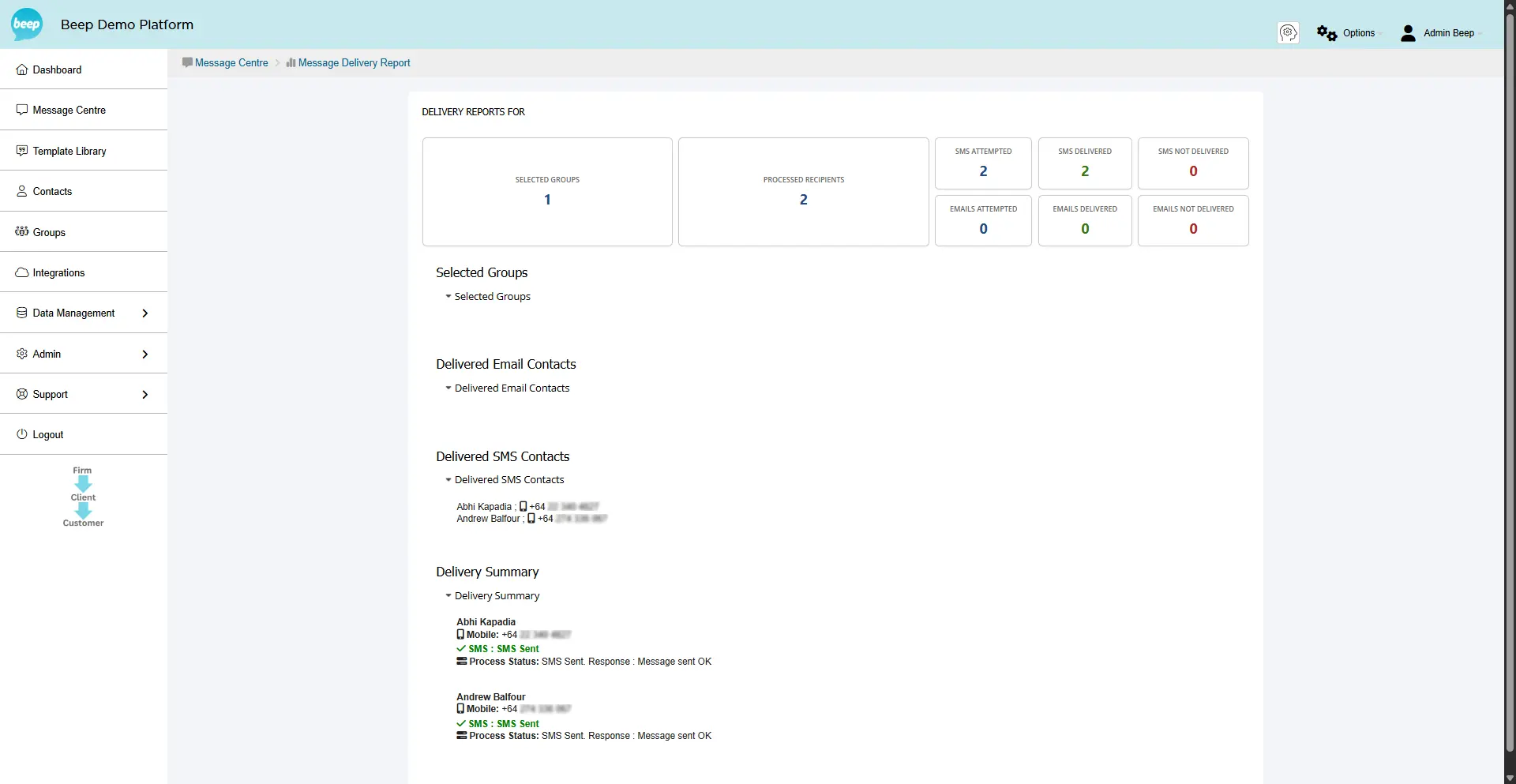
Monitor & Track Results
See exactly when messages are sent and delivered. Full transparency and compliance-ready audit trails.
- Real-time delivery confirmations
- Message history and audit logs